
Does an invited client need to pay or open their own Clarityflow account?
No. A client invited by their coach doesn't need their own Clarityflow account, a trial or a payment to Clarityflow. They follow the invitation link, set a password for a personal login, and join the conversations, courses or groups the coach shared. Coaches can invite unlimited clients at no extra cost.
Updated · By Clarityflow
This page is published by Clarityflow, the coaching software it describes; the steps follow Clarityflow's help guides.
Facts about invited clients in Clarityflow
Fact | Detail |
|---|---|
A Clarityflow account of their own | Not needed. An invited client doesn't open an account, start a trial or pay Clarityflow |
What inviting clients costs the coach | Nothing extra: coaches invite unlimited clients, and clients don't count as team members |
How a client logs in | With the email they were invited at and a password they set through the invitation link |
What a client can do | Post in the conversations, courses and groups they're invited to. Clients don't start conversations of their own |
Clients and conversations | Unlimited on every plan |
Ways to reply | In a web browser, in the iPhone or Android app, or by replying to a notification email |
Team members and current plan details |
Facts checked October 20, 2026.
What the client does to join, step by step
1. Open the invitation
Open the invitation email from the coach and follow its link, or open the invitation link the coach shared another way.
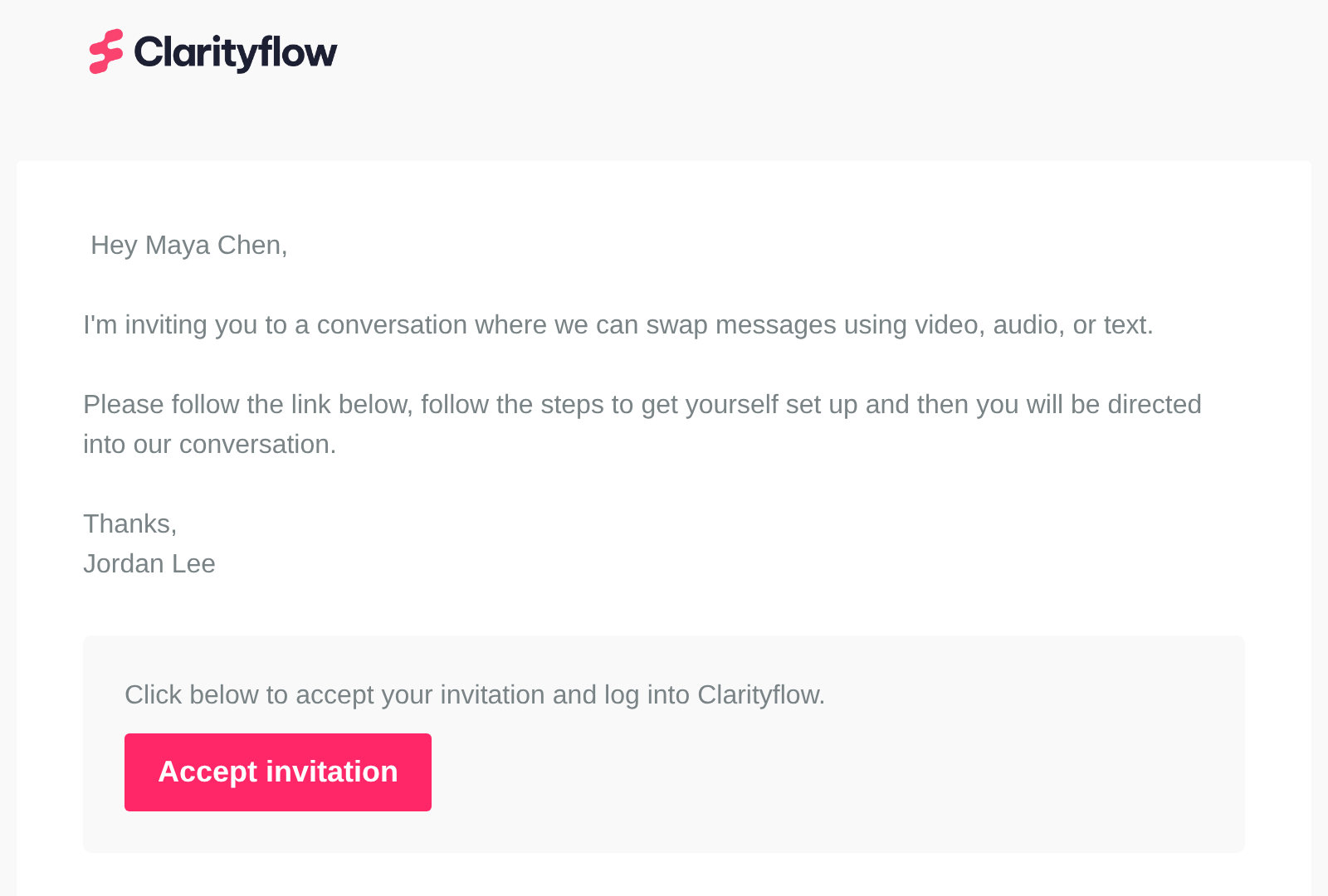
The invitation email a client receives. Screen captured October 2026 with sample names.
2. Set a password and accept
The page reads "<Coach> invited you to communicate on Clarityflow. Set your password to continue." The email comes from the invitation and is already filled in. Choose a password and select "Accept invitation". That email and password are the client's personal login. Someone already logged in to Clarityflow skips this step.
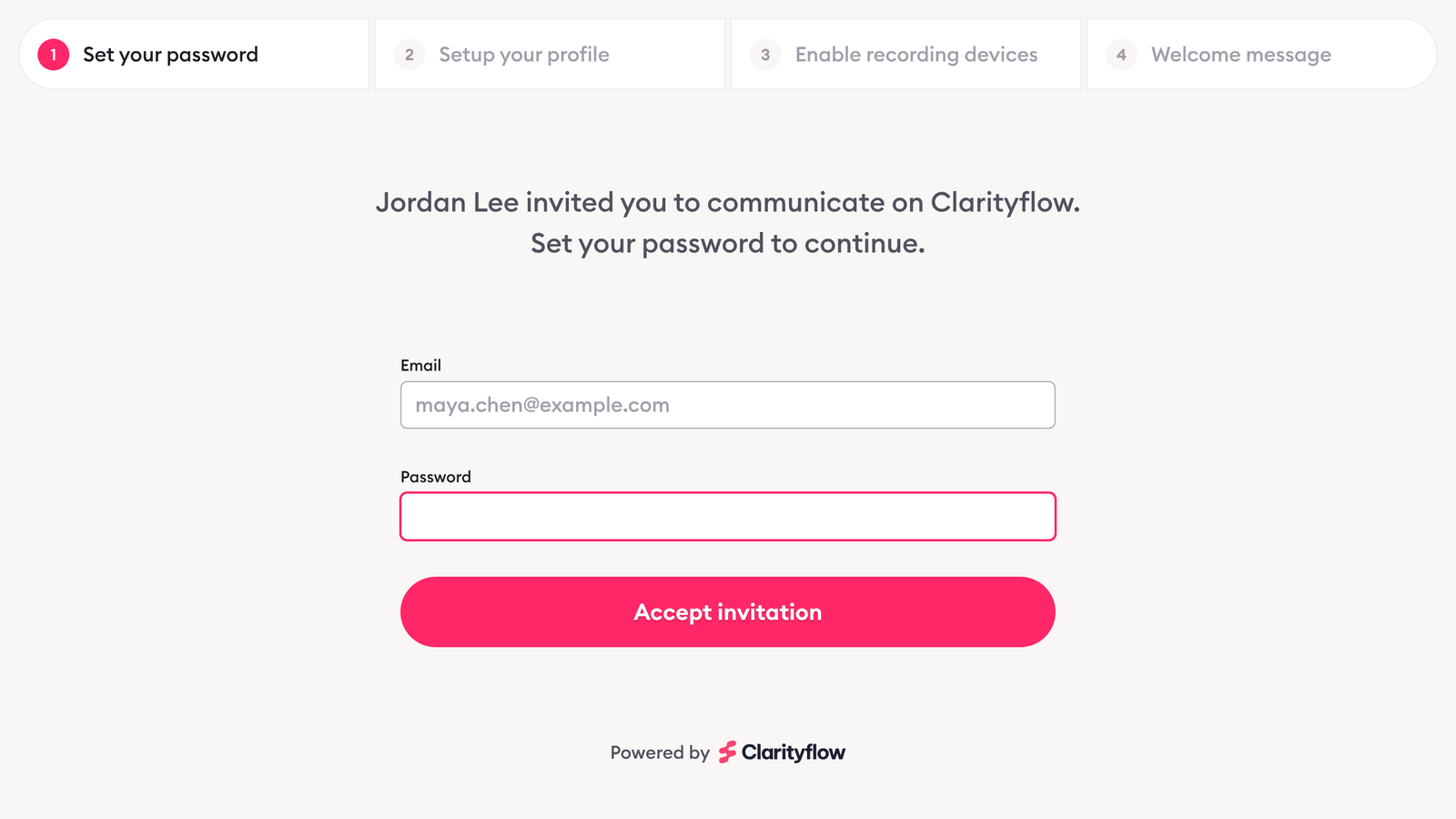
Setting a password to accept the invitation. Screen captured October 2026 with sample names.
3. Confirm profile details
Confirm their profile details, if the coach kept this step.
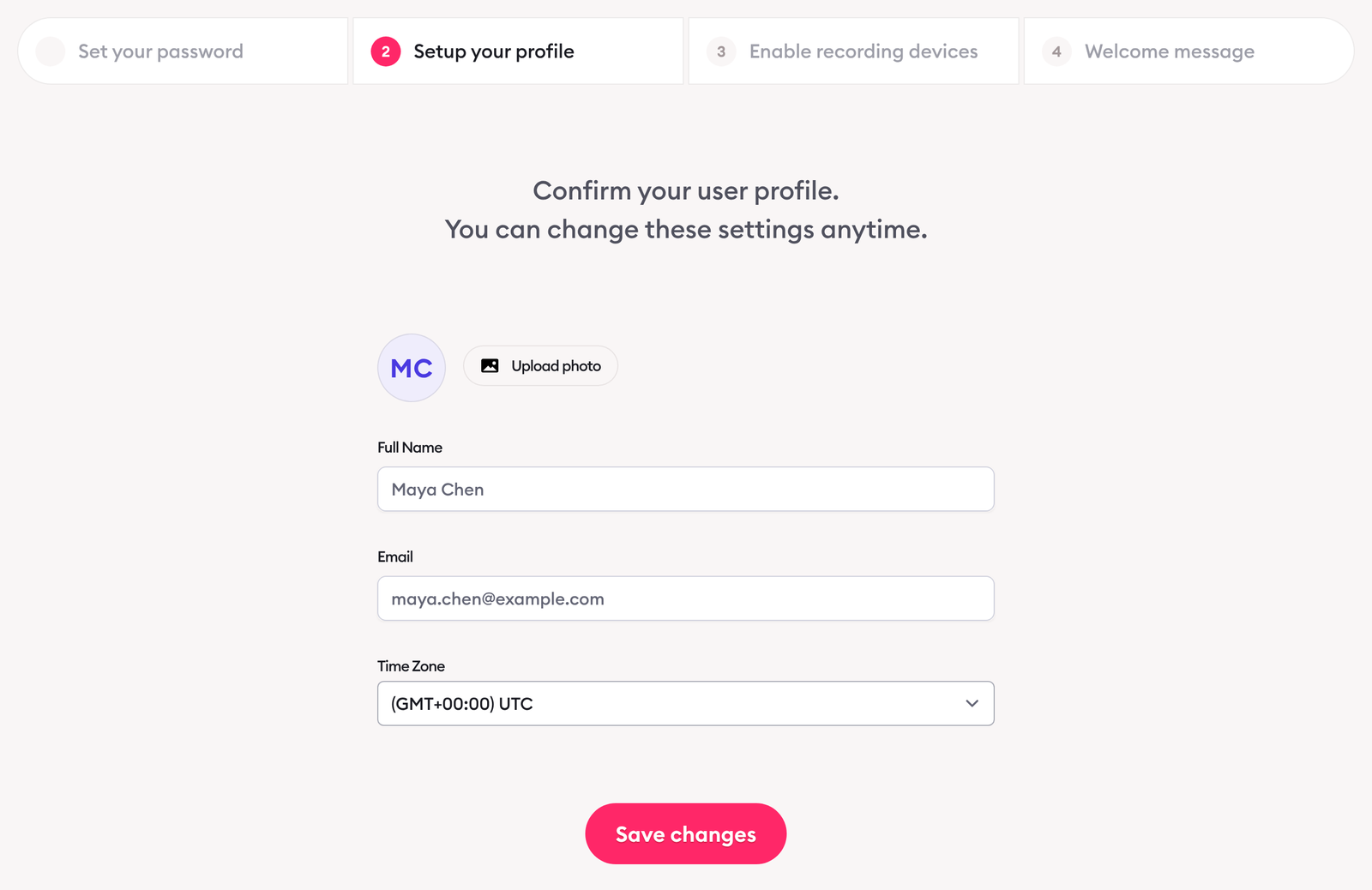
Confirming profile details. Screen captured October 2026 with sample names.
4. Allow camera and microphone
Allow access to the camera and microphone, if the coach kept this step.
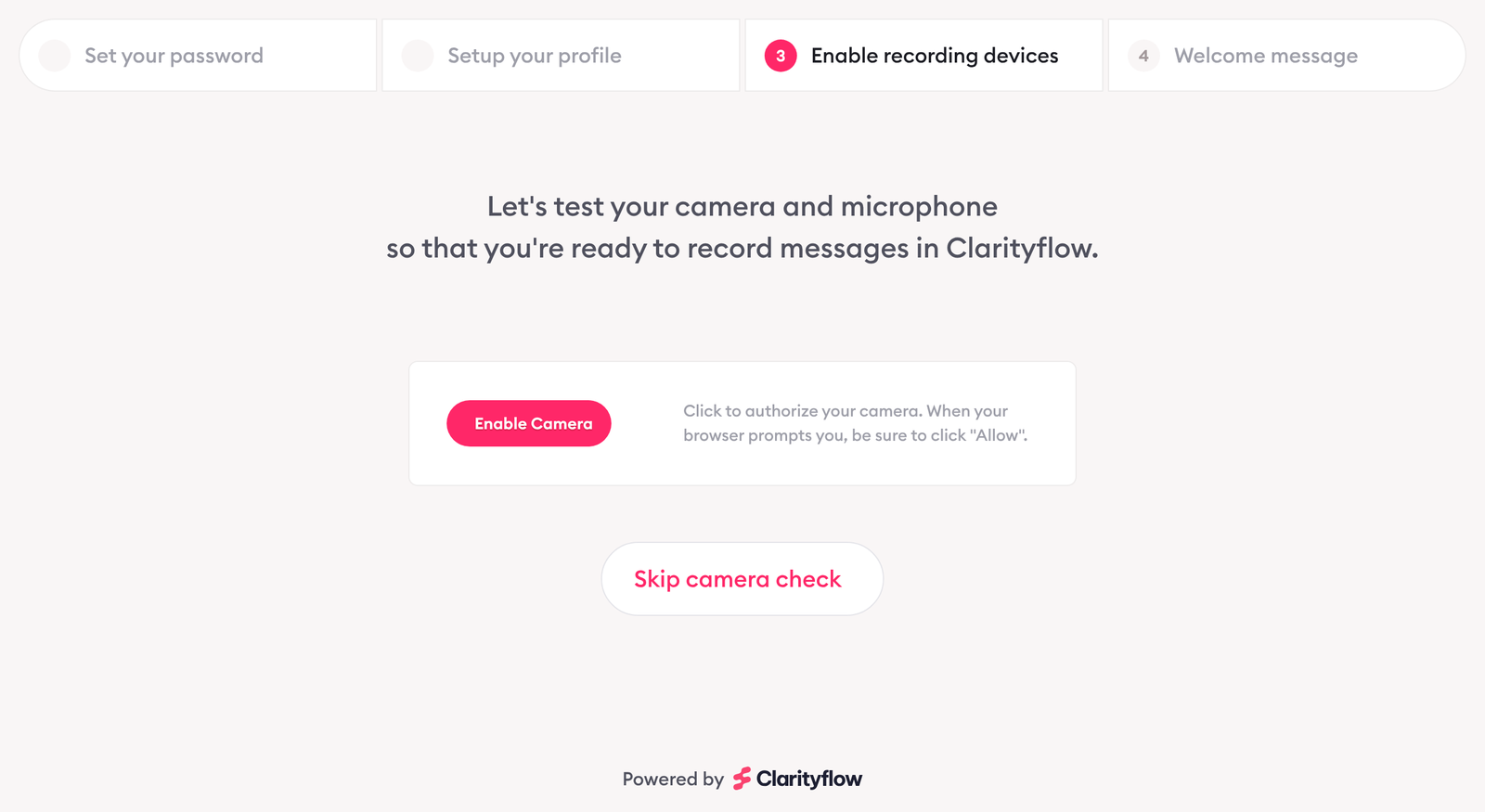
The camera and microphone step, before permission is given. Screen captured October 2026.
5. Watch the welcome message
Watch the coach's welcome message, if there is one.
6. Start in the place the coach chose
The client lands where the coach decided: a conversation, a course or a group, ready to reply.
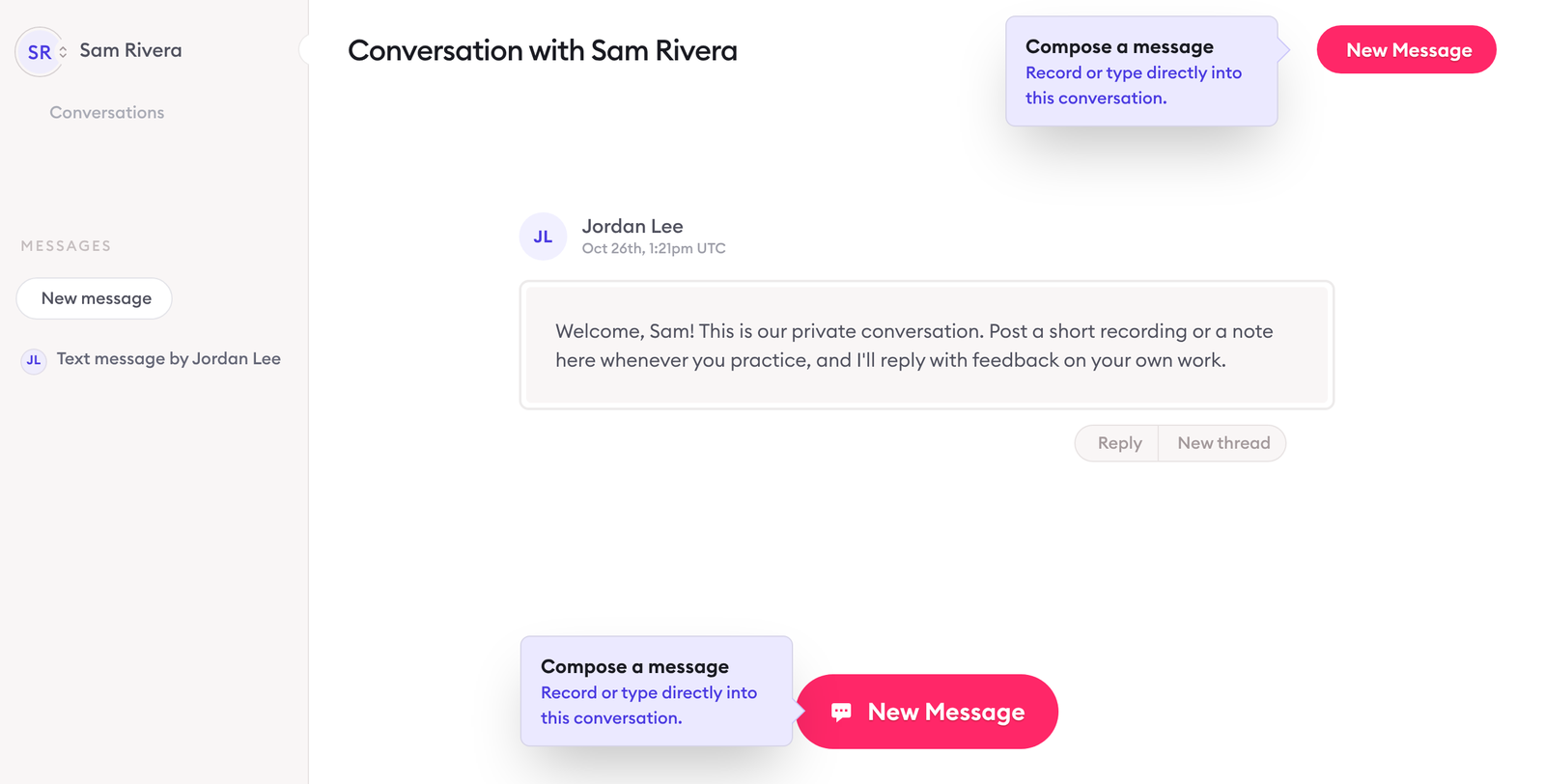
Where the client lands: the conversation the coach chose, with the coach's first message. Screen captured October 2026 with sample names.
What the coach sets up
Invite the client from Contacts ("Invite Someone") or from a conversation's participants ("Add People"). Clients can also be invited from a course or a group.
Invite them as a guest, not a team member. Coaches invite unlimited guests at no extra cost, and guests post only where they're invited.
Choose the final destination: where the client lands after joining, such as a new conversation, an existing conversation or a course.
Keep or switch off the onboarding steps: profile details, camera and microphone, and the welcome message. The password step can't be switched off, because it creates the client's login.
Send the invitation by email, or copy the link and share it however you like.
For every invitation setting, see how to invite and onboard a client; for inviting many clients at once or with one reusable link, see invitation modes.
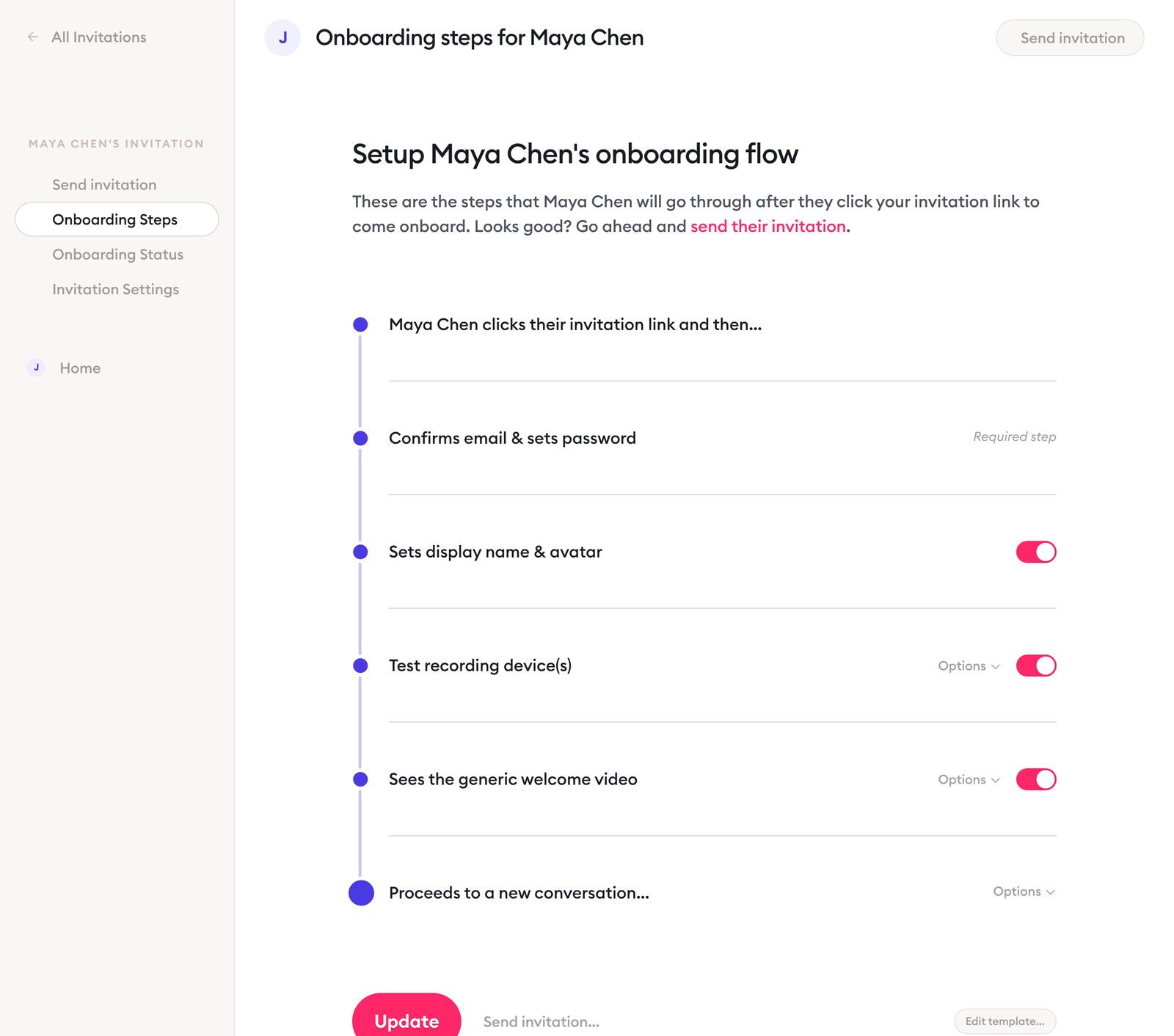
The coach's onboarding steps for an invitation, including where the client lands. Screen captured October 2026 with sample names.
Invitation, public link or intake page: what each asks for
People reach a coach's Clarityflow in three different ways, and each asks for something different.
Way in | What the person does |
|---|---|
Invitation from the coach | Follows the invitation link and sets their own password (the steps above) |
Public conversation link (a conversation anyone with the link can view) | When they post while logged out, they choose "Register & send" (name and email; Clarityflow then emails them an auto-generated password), "Send anonymously" (unless the coach turned anonymous replies off), or "Sign in & send" if they already have a login |
Intake page | Records or writes a message on the coach's intake page, and it starts a new conversation with the coach |
None of these needs the person's own Clarityflow account or a payment to Clarityflow. To know who is replying on a public link, see how Clarityflow identifies anonymous users; for intake pages, see the intake pages guide.
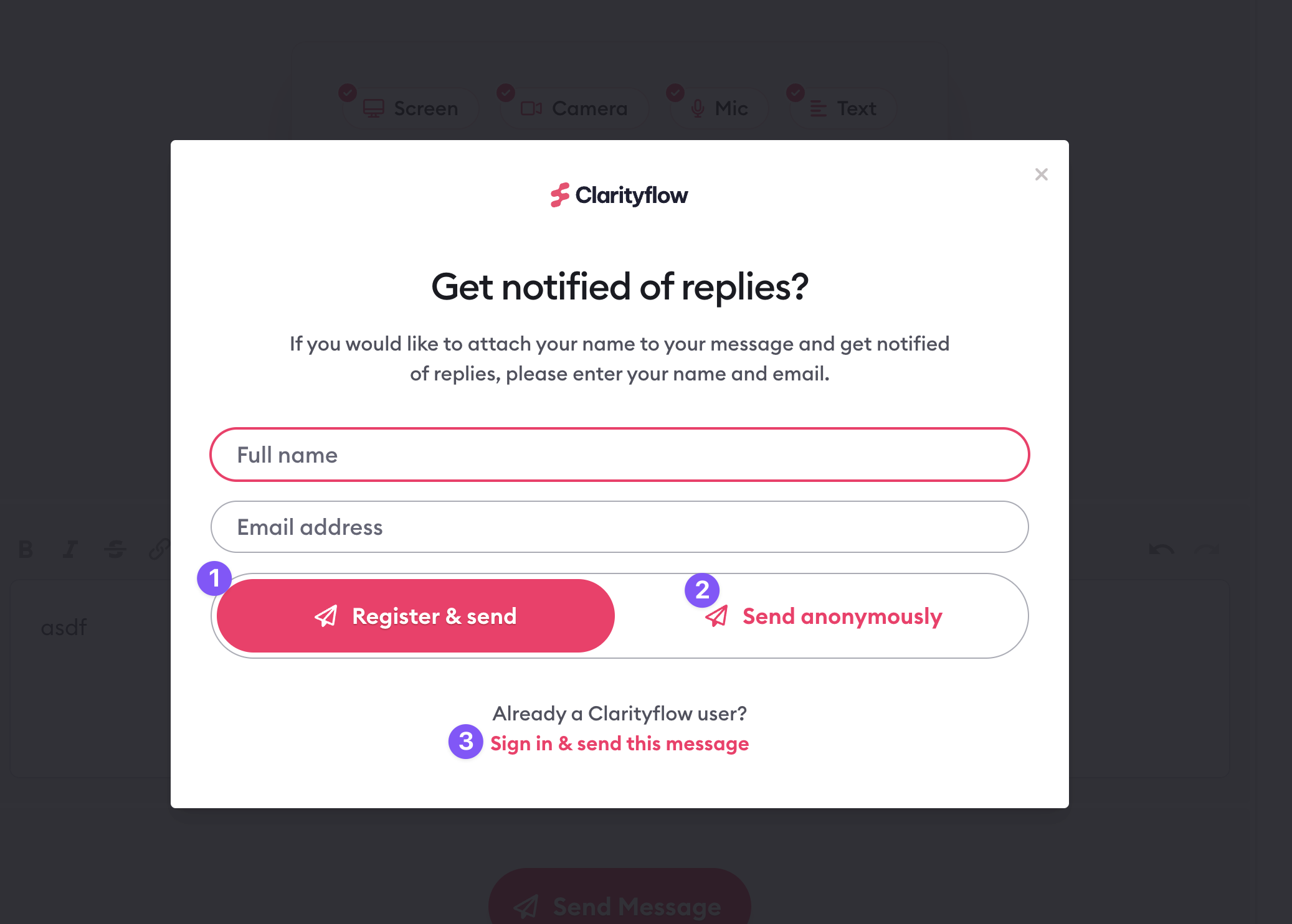
What someone sees when they post on a public conversation link without logging in. Screen captured June 2024.
Coming back later
Log in with the email and password from the invitation.
Open a notification email's link. It opens the conversation and identifies the person by their email, so they don't need to log in each time, unless the coach's account has turned that off.
Reply straight from the email. Replying to a Clarityflow notification email posts the reply's text as a message in the conversation. See reply via email.
Use a browser or the apps. Clarityflow works in a web browser and in the iPhone and Android apps.
Forgot the password or can't get in? Contact support.
Limits of this page: it describes Clarityflow as documented in its help guides on October 26, 2026; screens and menu labels can change.
When an invitation isn't the answer
The client wants to coach their own clients. A client can't start conversations of their own. To use Clarityflow with their own clients, they open their own Clarityflow account; plans are on the pricing page.
The person works in your business. Staff join as team members, not clients, and unlike clients, team members count toward your plan. See the types of users in Clarityflow and the pricing page.
You're asking what a client pays for coaching. That's between the client and the coach, not a Clarityflow fee, and this page doesn't cover it.
Frequently asked questions
Do you need your own Clarityflow account?
Not if your coach invited you: follow the invitation link and set a password, with no account, trial or payment of your own. You need your own account only to use Clarityflow with your own clients.
Why did I get an auto-generated password?
You registered by posting on a public conversation link with your name and email ("Register & send"), rather than through an invitation. In that case Clarityflow emails you a password; an invited client chooses their own.
Can clients reply by email instead of logging in?
Yes. Anyone in a conversation can reply to a Clarityflow notification email from their usual email app, and the reply's text is posted in the conversation.
See how coaches invite clients in Clarityflow
See how a coach invites clients, and what clients see when they join.

Learn more about Clarityflow.