
Finding archived or closed conversations or threads
Finding closed and archived conversations
You can surface both closed and archived conversations from the Conversations page using the filters menu.
Go to the Conversations page (left sidebar → Conversations).
At the top of the list, click the filters icon (small settings/filter icon next to the “Conversations” heading).
Turn on “Show archived conversations” to view archived items in the list.
Turn on Show archived conversations to see conversations you've moved out of the main list.
Turn on Show closed conversations to see conversations where Close messages is on — guests can still open them, but they can't post. This filter is about replies, not about Close conversation.
Conversations with Close conversation on (guests blocked entirely) show a lock icon on the listing. Your team can still open them; guests cannot.
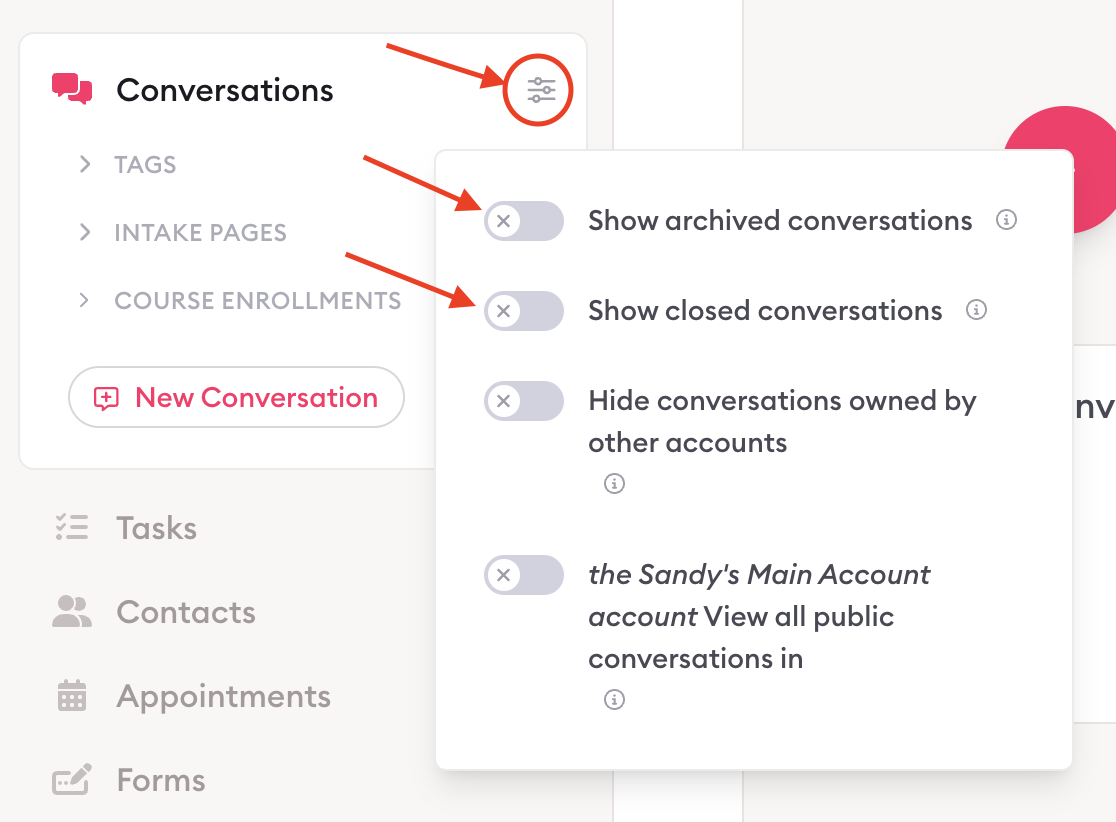
Finding archived & closed threads
Open a conversation.
In the Messages sidebar, click the archived icon to filter archived threads within conversations.
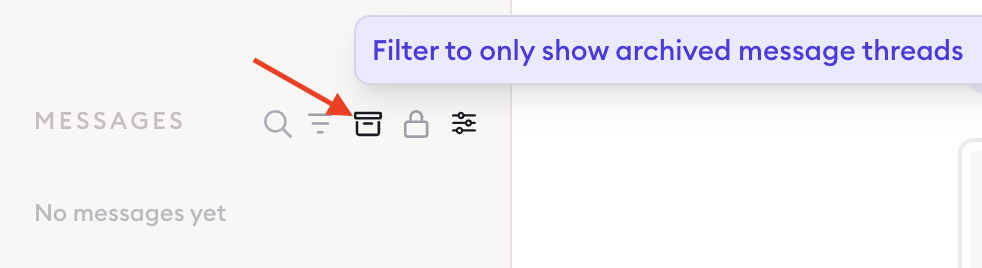
Click the lock icon to filter replies closed threads within conversations.

Related guides
Close a conversation or thread and prevent replies — Explains what "closed" actually means for the people in the conversation, and how to reopen one you've found here.
Archive conversations — Now that you've found your archived conversations, this explains what archiving changes (and what it leaves alone), plus how to unarchive one.
Auto-lock Conversations & Threads — If conversations are turning up closed or archived without you doing it, an auto-lock rule is probably running. Here's how to check and change it.
Understand who can access a conversation — Close messages lets guests keep reading; Close conversation blocks them. This page is how you find either one in your list.

Learn more about Clarityflow.