
Conversation Access & Visibility
Public vs. Private
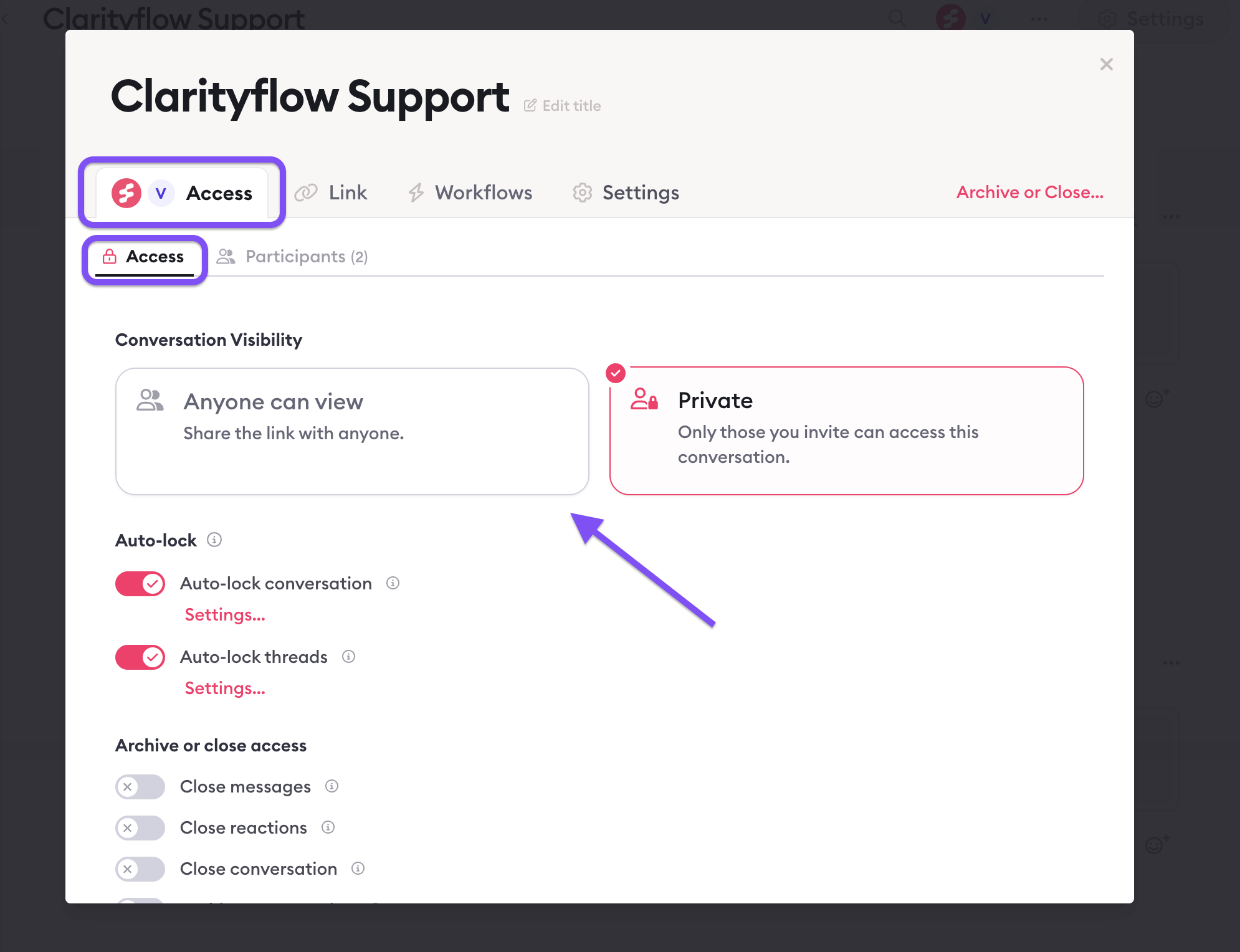
Every conversation is either public or private.
Public — anyone with the link can view it.
Private — only people who have been added as participants can see it.
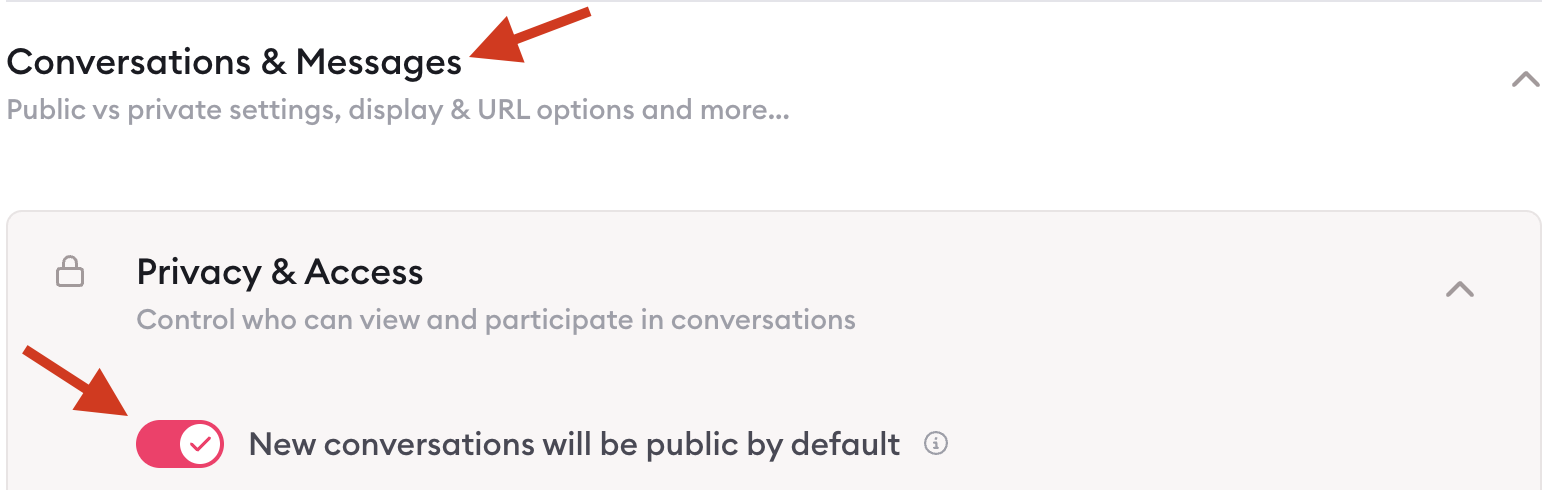
The default depends on your account settings, but you can change it on any conversation.
Participants
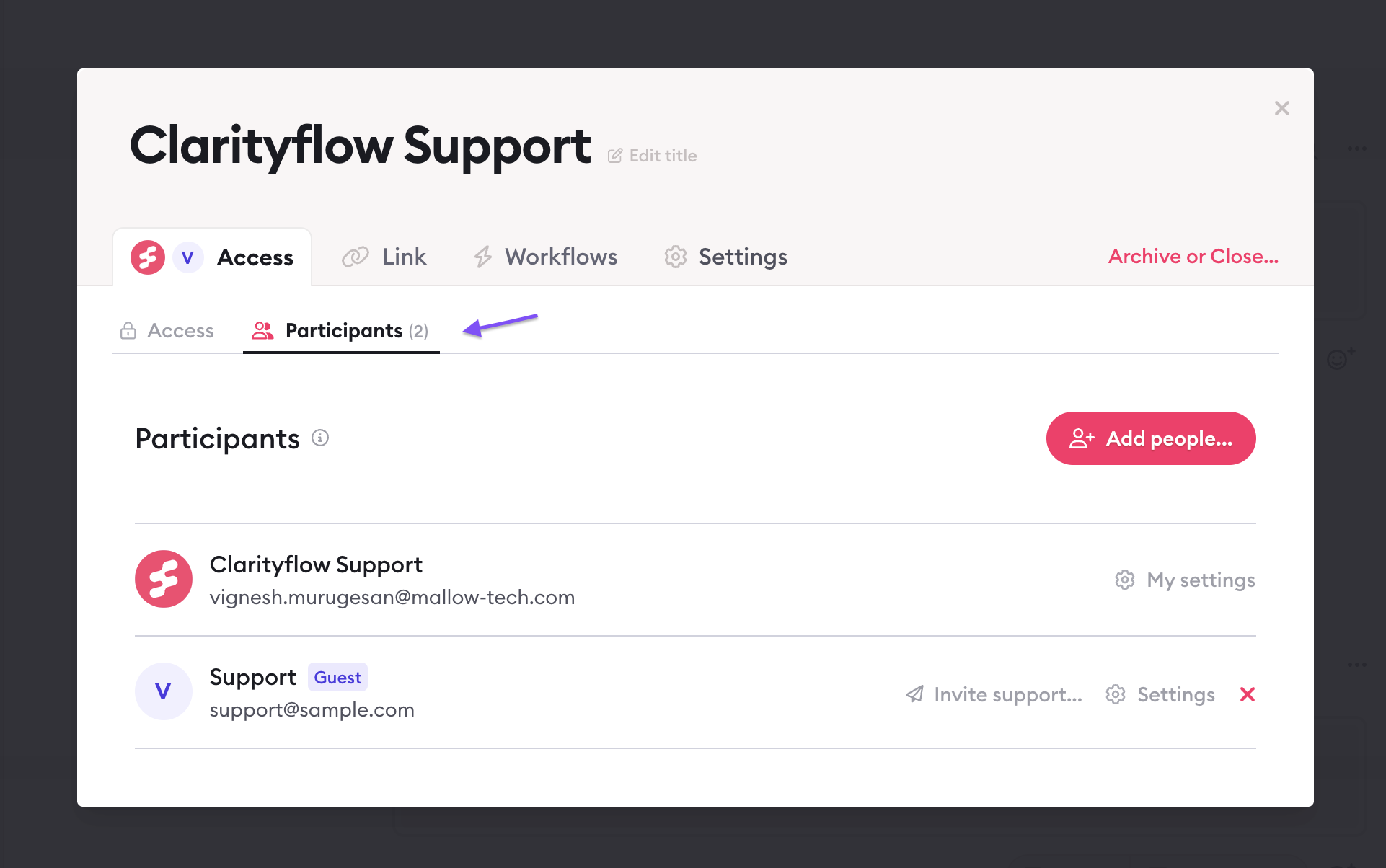
A participant is someone added to a conversation. They can post messages and receive notifications.
Being the account owner does not automatically make you a participant in every conversation. Each conversation has its own participant list. You need to be added — or add yourself.
Account owner: viewing conversations you're not in
As the account owner, you can turn on "View all public conversations" in your conversation list settings.
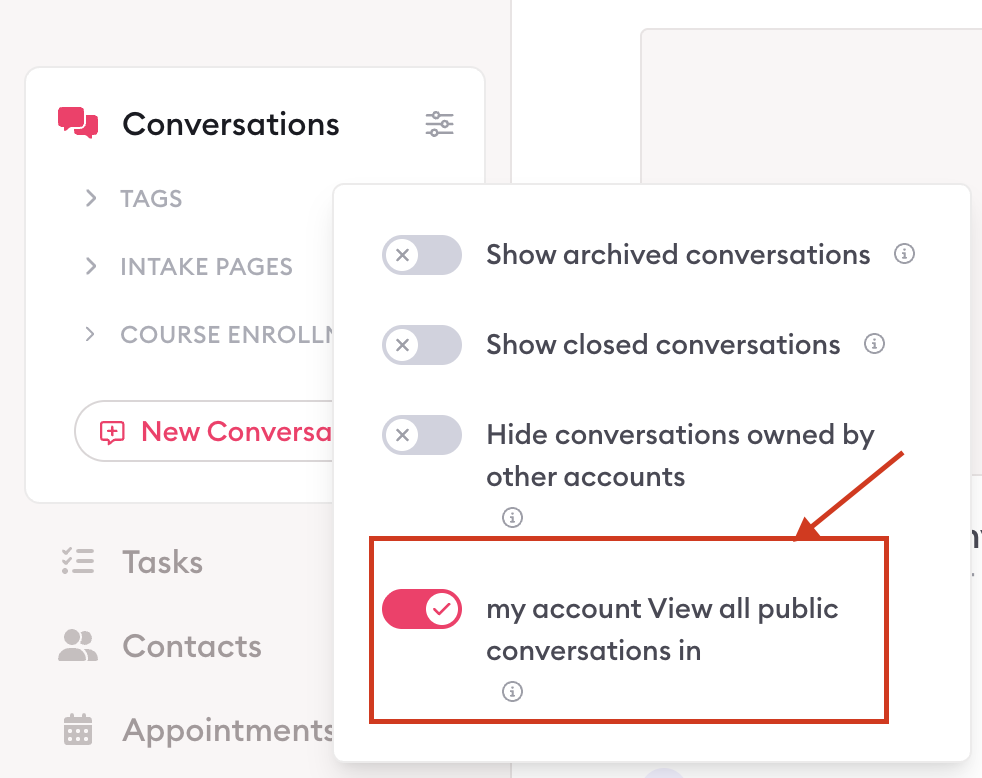
This lets you see all public conversations in your account — even ones you haven't joined.
Two things to know:
Private conversations are not included — you won't see those unless someone adds you.
Once you click into a conversation, you are automatically added as a participant and will be visible to others in it.
Managing access
To add someone to a conversation → open the conversation → Settings Modal → Access panel → Participants
To change public/private → open the conversation → Settings Modal
To set a default for all new conversations → Account Settings → Conversations & Messages

Learn more about Clarityflow.