
Build your Library of message templates and thread templates
In your Library in Clarityflow, you can store message templates and thread templates.
These are re-useable template messages (and threads) that you can quickly insert into conversations, use as building blocks in your courses, and display on your intake pages and with your invitation onboardings.
Control Who Can Access Your Templates
Control which team members can access and use specific message templates in your library. By default, new templates follow your account's access settings, but you can restrict any individual template to selected people. Restricted templates won't show up in a team member's library or template picker. Useful for keeping sales-only templates away from support, or hiding sensitive content from contractors.
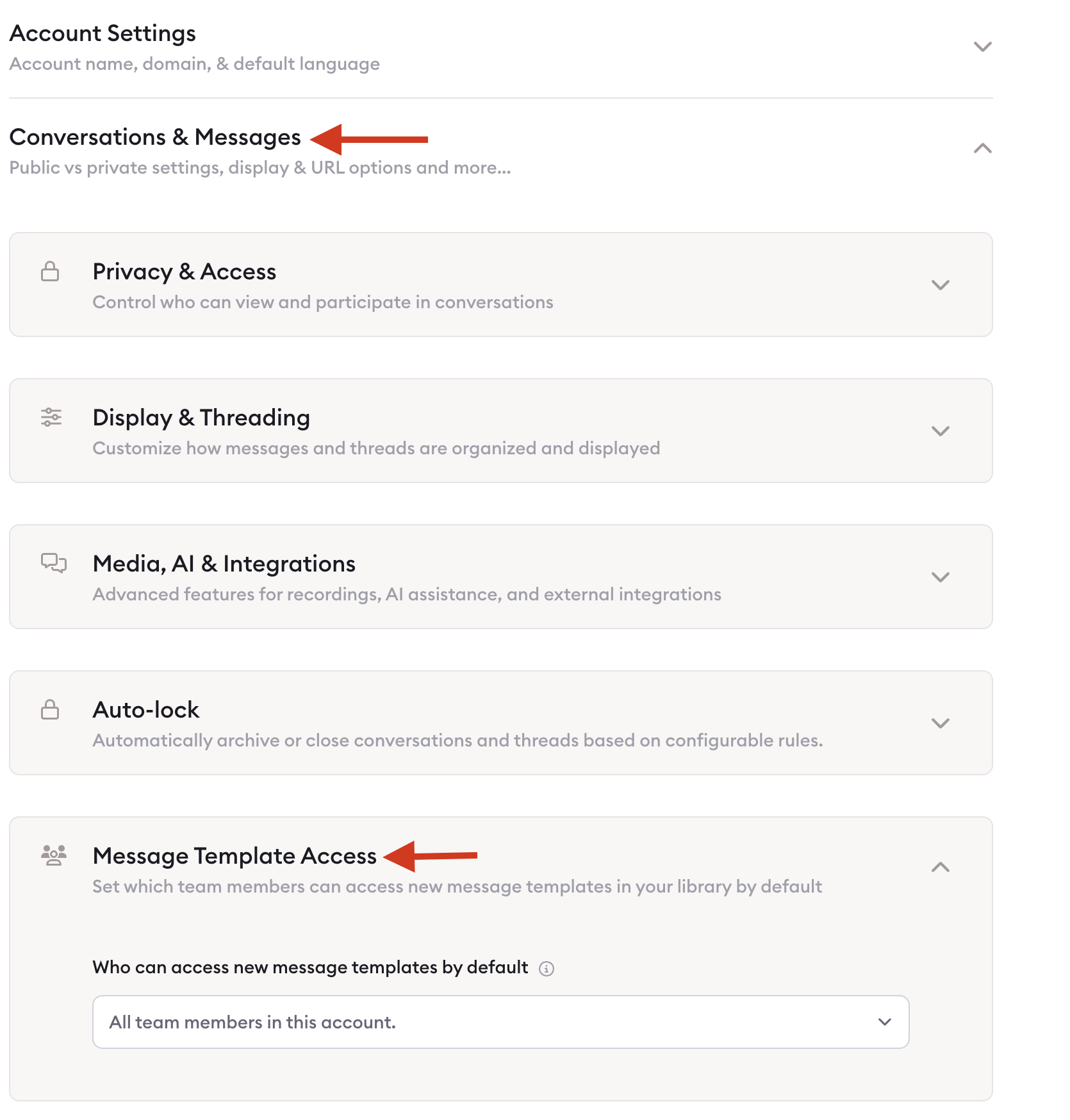
Setting the Account Default
Account Settings → Conversations & Messages → Message Template Access
Option | Effect |
|---|---|
All team members | Everyone can access new templates (default) |
Only the creator | New templates are private to whoever made them, plus the account owner |
Selected team members | Only chosen people can access new templates |
This default only applies when a template is first created — you can always change access later.
Manage Access on an Individual Template
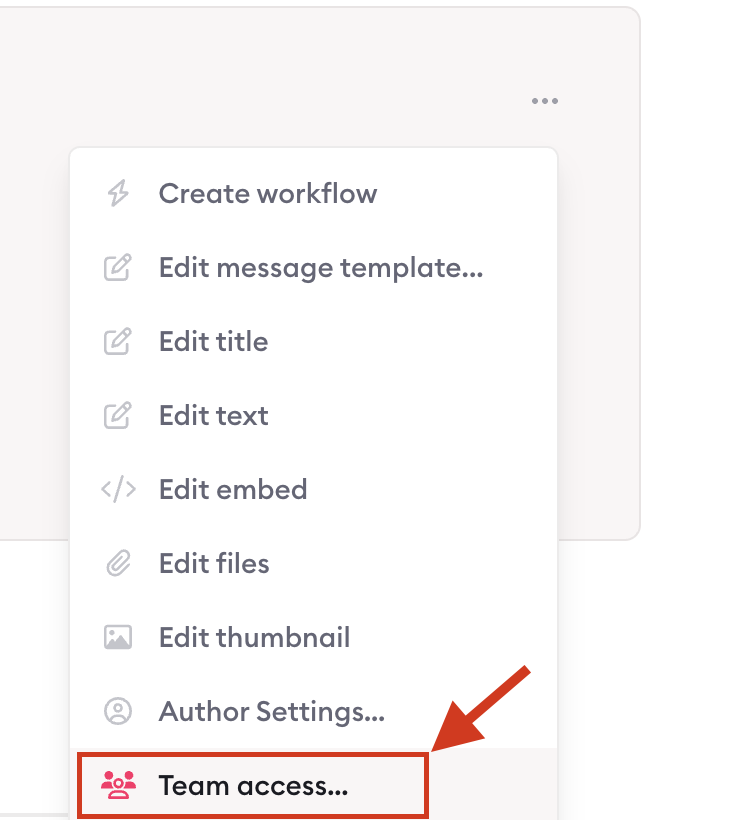
Open the template, then click Team access (or find it in the edit menu). Turn access on or off for specific people, or click Allow all team members to reopen it to everyone. Changes save automatically.
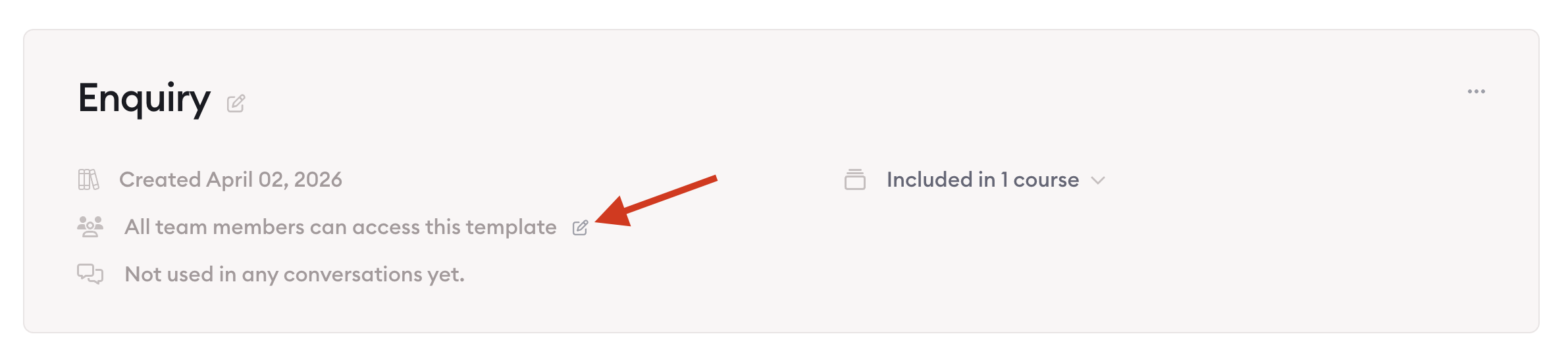
Only account owners and admins can change these settings — and the account owner always has access to every template.
If team members have access, the template shows up in their library as usual. If not, it's hidden from their library and picker, and they'll see an access-denied message if they try to open it directly.
It is useful if you run a coaching practice with an associate coach or client success person on your team. You can keep a high-value sales template visible to just yourself, or keep a new template private while you're still refining it — then open it up to everyone with one click when it's ready.
Need to search for a specific template within your Library? That's easy too. Find out more here.

Learn more about Clarityflow.